YouTube videoBuild with me · Ep 03
how to talk to an ai tool to get the results you want
Turning research, mood boards and scoping into one clear, precise prompt. Models have gotten so good that if you’re not getting what you want, it’s probably your prompting, not the tool.
- Series
- Build with me · Ep 03
- Length
- 5:19
I’ve built +50 apps & countless features over the past year. And I’ve realized that the models have gotten so good that if you’re not getting what you want out of the tools, most likely it’s because you’re not clear in what you’re actually asking.
Last episode, we did the prep work: context, scoping, research, visual direction. Now we turn all of that into the one thing that actually matters: a clear, precise prompt.
We will use this same prompt in every tool we use in this series: Figma Make, Lovable, Cursor, and Claude Code. And then compare the outputs :)

The fruits of good planning
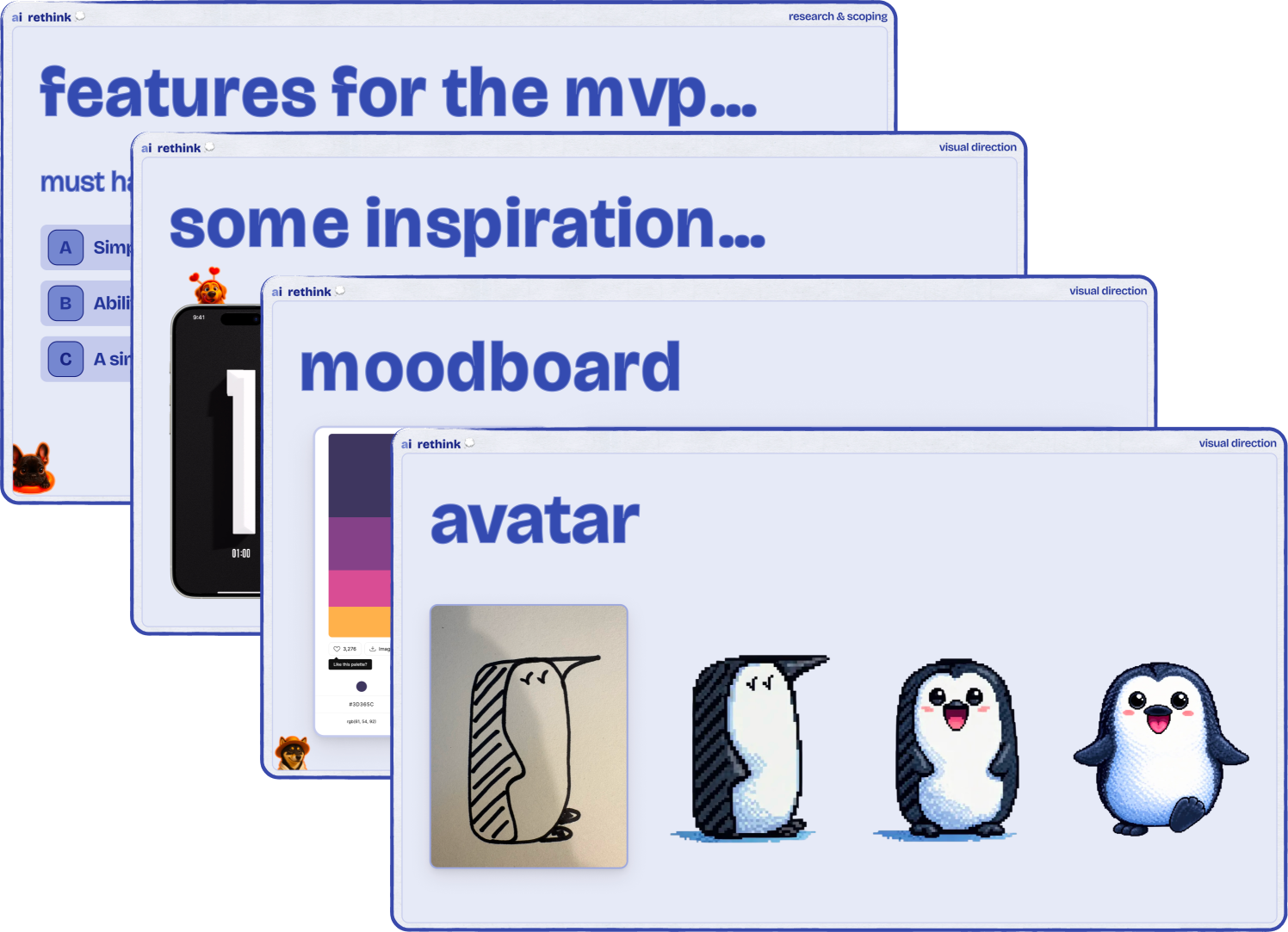
Remember all the planning we did in episode 2? Context, scoping, visual references, color palette, sketches? Now we will feed all of that into Claude or ChatGPT.
Indeed, I typically don’t jump straight to asking for code. Instead, I ask: “Help me write the perfect prompt for Cursor to build a super simple website app.”
Then I paste in:
My Figma slides screenshots (or just the text)
Visual references & mood board
Color palette
Any sketches or character ideas
Use plan mode & encourage questions
I explicitly tell the AI to ask me clarifying questions before generating output. Things like: style preference (retro vs minimal), timer end behavior, file structure preferences.

It’s kind of like talking to a colleague on Slack. Like talking to an intern that’s new to the company. You have to provide that intern with the right context. You cannot assume that it knows everything that you know - everything that’s in your mind it couldn’t possibly know.
After a bit of back & forth, the AI outputs a detailed prompt that includes:
technical details: tech stack (for now, plain HTML, CSS & JavaScript)
design directions: color palette, visual direction
product decisions: in our case, things like timer display specifications, duration selection method, completion behavior, etc.
This prompt then becomes our blueprint for the rest of the series. Same prompt, different tools.

“Crap in, crap out”
AI models have gotten so good, that if you’re not getting “satisfactory results” out of them, it’s likely because you didn’t provide it the right context & guidelines. It helps me to think of Claude & other LLMs as brilliant design interns, that will deliver crap if you’re unclear (although they can still occasionally surprise you…)
The “smart intern” analogy
Treat AI like a new colleague who needs context. Good communication = good results. The more specific you are about what you want, the better the output. But leave room for creativity when you want to be surprised.
Try “throwaway prototyping”
Very precise prompts can be great to enforce consistency with your design system for instance, but I found that by being explicitly vague in my initial prompts, the LLMs can be more creative and come up with creative solutions I hadn’t thought of before. I often give (almost) the same vague prompts to different LLMs and cherry-pick from their outputs.

Claude: For crafting & refining the prompt
Note: make use of “plan mode” - it encourages the AI to ask clarifying questions
ChatGPT: Alternative for prompt crafting
FYI - not sponsored. Just my current favorites.

In episode 4, we’ll finally start building. Using Figma Make, we’ll turn our design into a published website. No code required.
Figma Make has it’s limitations, but it’s a great place to start your journey.

If you’re enjoying these episodes, feel free to reach out & let me know what you’d love to learn more about: workflows as a product/design lead, tools I would recommend, or something else.
See you soon,
Harry
P.S. Subscribe on YouTube to catch each episode as it drops.